Search supplier catalogs. Start your mockup in one click.
Find the right product. Start designing instantly.
Distributors can instantly search integrated supplier catalogs using vendor names, SKUs, or keywords—without downloading product images or manually rebuilding product data.

Remove the setup work
Product setup should not begin with downloading images.
No more searching supplier websites, saving product photography, or manually uploading products into design software. Everything starts inside PromoPlus.
Search a supplier website
Open another tabDownload product images
Save and renameRebuild the product record
Copy the detailsThe product arrives with the information the team needs to begin the project.
One connected start ↗
How it works
From supplier catalog to active project.
Product discovery becomes the first connected step in the PromoPlus workflow.
- 01Search the catalog
Use a vendor name, SKU, or product keyword.
- 02Select the product
Keep standardized product information and imagery together.
- 03Start designing
Move directly into the mockup workflow without rebuilding the product.
Customer outcome
Everything starts inside PromoPlus.
Supplier catalog→Selected product→Ready to design
Bring your supplier catalog
Ready to find products without the manual setup?
Online mockup software for promotional products
Create customer-ready mockups. Directly in your browser.
Create professional product mockups directly in the browser without relying on Adobe Illustrator for every proof.
 P+
P+Artwork position
The old way slows every proof
Professional proofs should not require Illustrator every time.
Manual setup, repeated exports, and outsourced edits turn a simple logo placement into a long handoff. PromoPlus keeps the essential design controls in one focused browser workspace.

How it works
From source artwork to a clear customer proof.
One connected workspace turns the three everyday proofing steps into a focused flow.
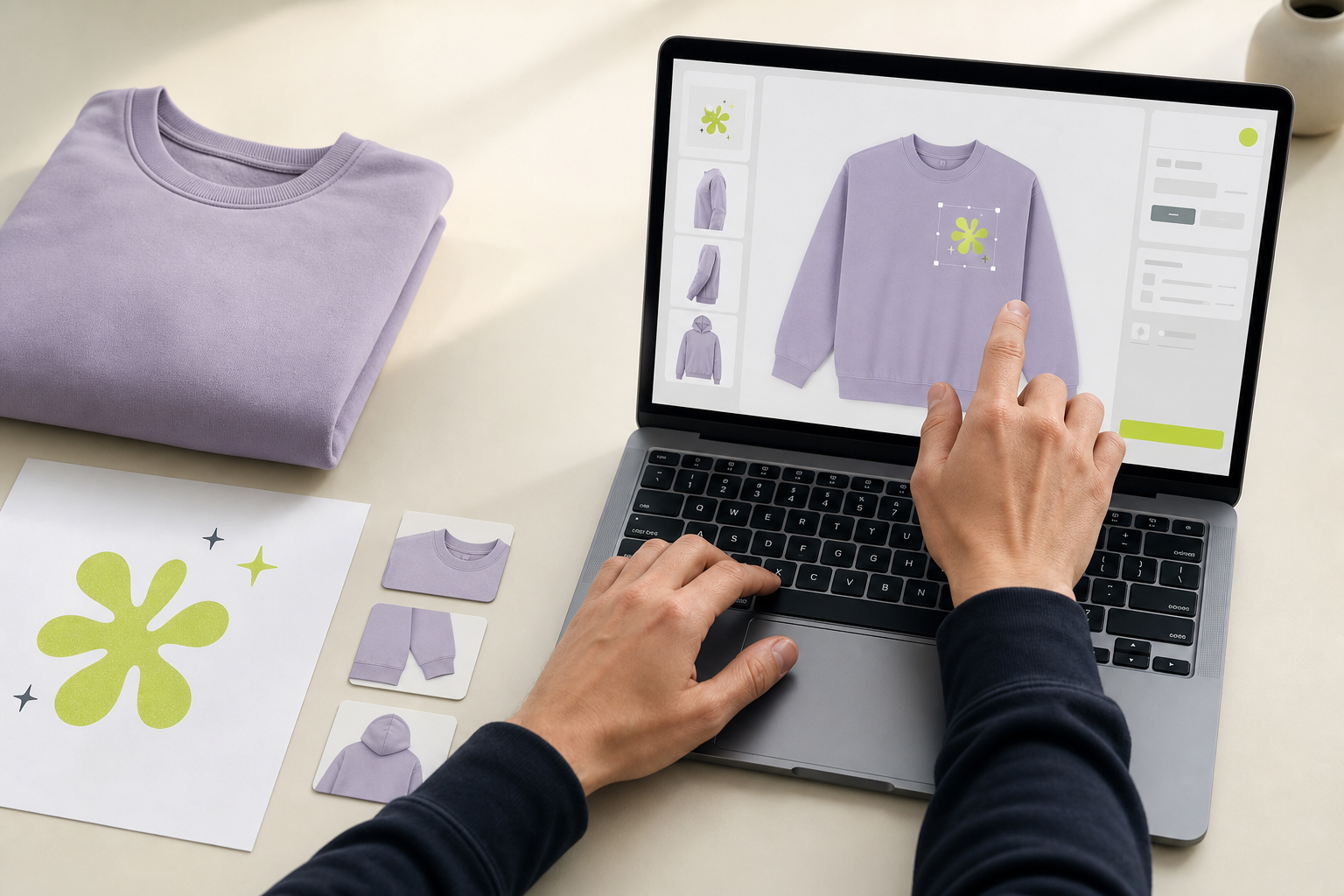
Upload artwork
Add the right logo or design asset to the project once.
Position and refine
Resize, rotate, and preview placement on every product side.
Generate the mockup
Create a professional, customer-ready proof within minutes.
Customer outcome
Create mockups significantly faster.
Start designing instantly, reduce repetitive manual work, and move the customer toward approval sooner.
From placement to confidenceThe team sees the intended result before production begins.

See it with your products
Ready to create proofs without the long design handoff?
Artwork version control for promotional product proofs
Every revision stays clear.
Every revision is automatically saved. Track changes, compare versions, restore previous artwork, and always know which version was approved.
The problem with “final”
When versions live in filenames, certainty disappears.
PromoPlus replaces guesswork with a complete revision record. Each change stays connected to its project, product, and approval history.
Interactive version history
Compare what changed. Keep what worked.
Select a revision to inspect its placement, status, and history. The approved version stays unmistakable.
Current versionV3
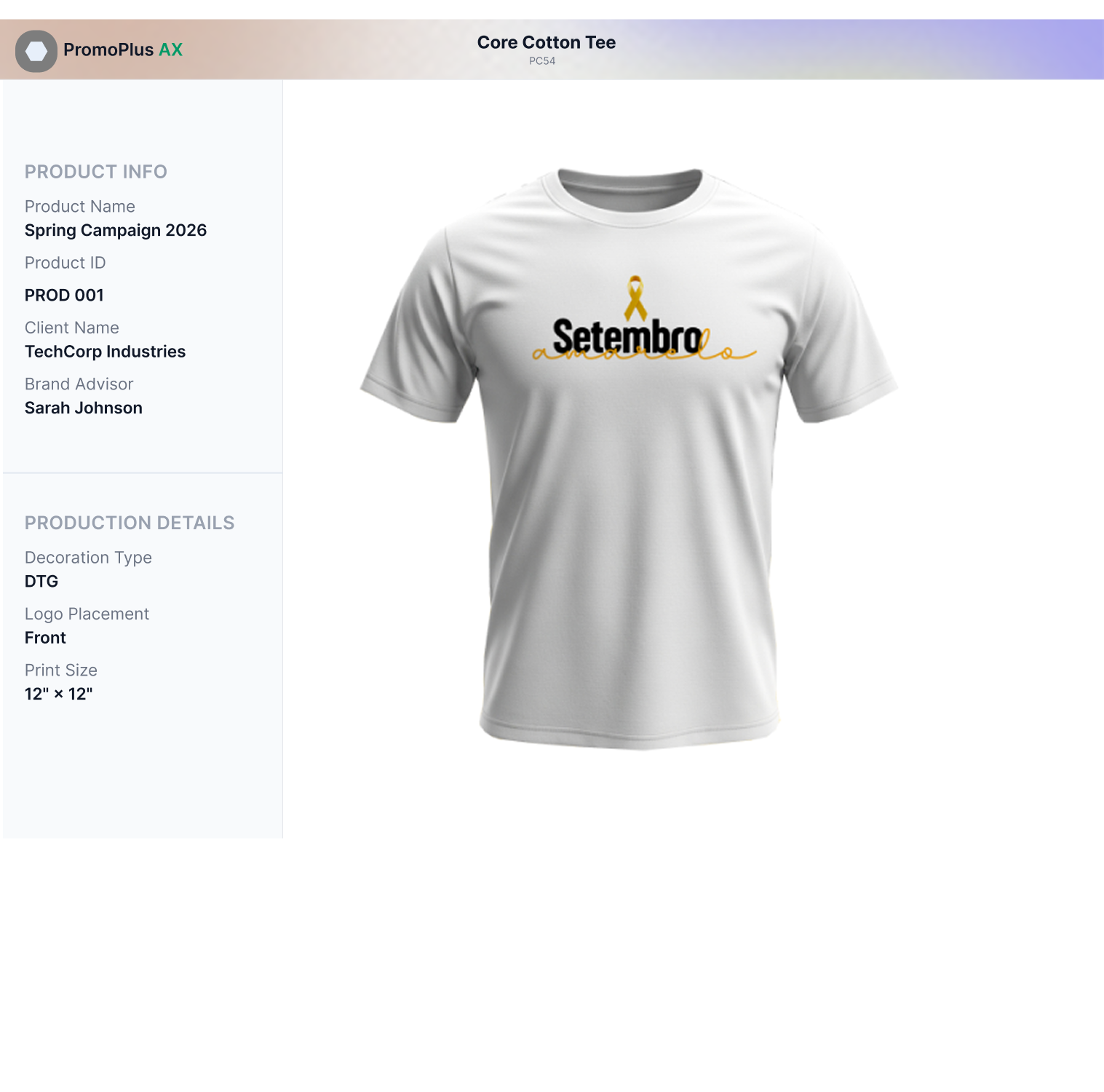
Artwork moved slightly upward and aligned to the product center.
- Changed
- Placement
- Status
- In review
- Source
- logo-final.svg

Approved means identified
Always know which version was approved.
The selected proof moves forward with a clear status while older revisions remain available in the project history.
Approved versionProtected from confusion
Keep every revision clear
Ready to stop guessing which file is final?
Artwork approval software for promotional products
One link. One clear decision.
Share artwork through a secure online approval link. Customers can review mockups, approve designs, request revisions, and leave comments without endless email chains.
 CommentApprove
Client decisionReview → Comment → Approve
Feedback without the chase
Stop turning client decisions into email archaeology.
“Can you make the logo a little larger?”
Email reply“Which mockup are we reviewing?”
Forwarded thread“Approved!”
Missing version contextPromoPlus keeps every comment and decision attached to the exact mockup.
Interactive approval review
Everything the client needs. Nothing they don’t.
Select a feedback pin, review the note, then move the mockup from In Review to Approved.
In Review2 comments open
White Hoodie Campaign / V3In Review
Every approval is recorded
A decision your team can verify.
CustomerApproved V3Recorded
One link. One decision.
Ready to make client approvals easier?
One project workspace for every promo order
One project. Every detail stays connected.
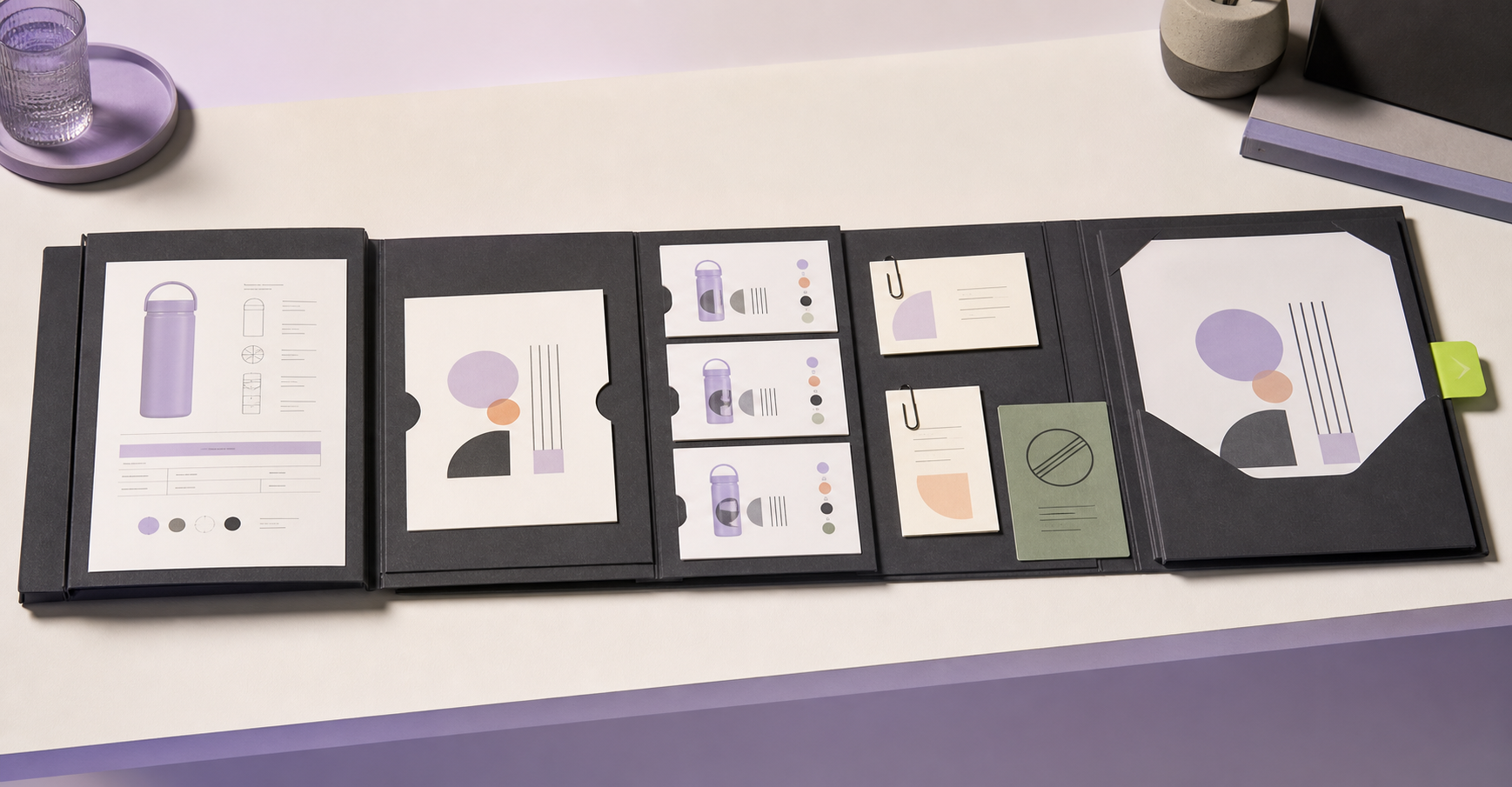
Every project lives in one place. Store products, artwork, customer information, approvals, notes, production files, and project history together.

Stop searching for context
The project should not disappear across inboxes and shared folders.
No more searching through emails or shared folders. PromoPlus keeps the project record intact from the first product choice to the final production file.
One place to understand what happened—and what happens next.Email commentProduct linkArtwork finalCustomer noteApproval PDF
→Inside one project
Seven layers. One source of truth.
Select a project layer to see how it stays connected to the same record.
Products
The selected product stays attached to the project.
Supplier details, product imagery, sides, and color choices remain available to everyone working on the campaign.
Connected toArtwork · Mockups · Production
Complete project history
See the whole story, not just the latest file.
Products, source artwork, comments, decisions, and production output remain part of the same chronological record.
- Product added09:12
- Artwork uploaded10:04
- Version reviewed14:18
- Customer approved17:37
- Production file17:39
Bring the project together
Ready to replace scattered files with one connected workspace?

Team collaboration for promotional product distributors
One shared project. Every role stays in context.
Sales representatives, brand advisors, designers, operations teams, and business owners collaborate inside one connected workspace.
Sales
Design
Operations
Owner
One project, four perspectives
Handoffs slow down when every role has a different version of the story.
Sales brief+Design notes+Approval status+Production handoffOne shared project
Inside or outside the room
The conversation stays attached to the work.
Everyone works from the same information, whether they are reviewing artwork together or coordinating with a remote production partner.
Customer outcomeImprove collaboration across sales, design, and production teams.

Better communication.
Keep discussion beside the work it refers to.
Fewer internal handoffs.
Give every role direct access to the current project.
Reduced duplicate work.
Stop rebuilding context across tools and teams.
Improved productivity.
Move decisions forward with less administrative effort.
Bring the team together
Give every role one connected place to move work forward.
Artwork workflow dashboard for promo teams
See every project. Move the right work forward.
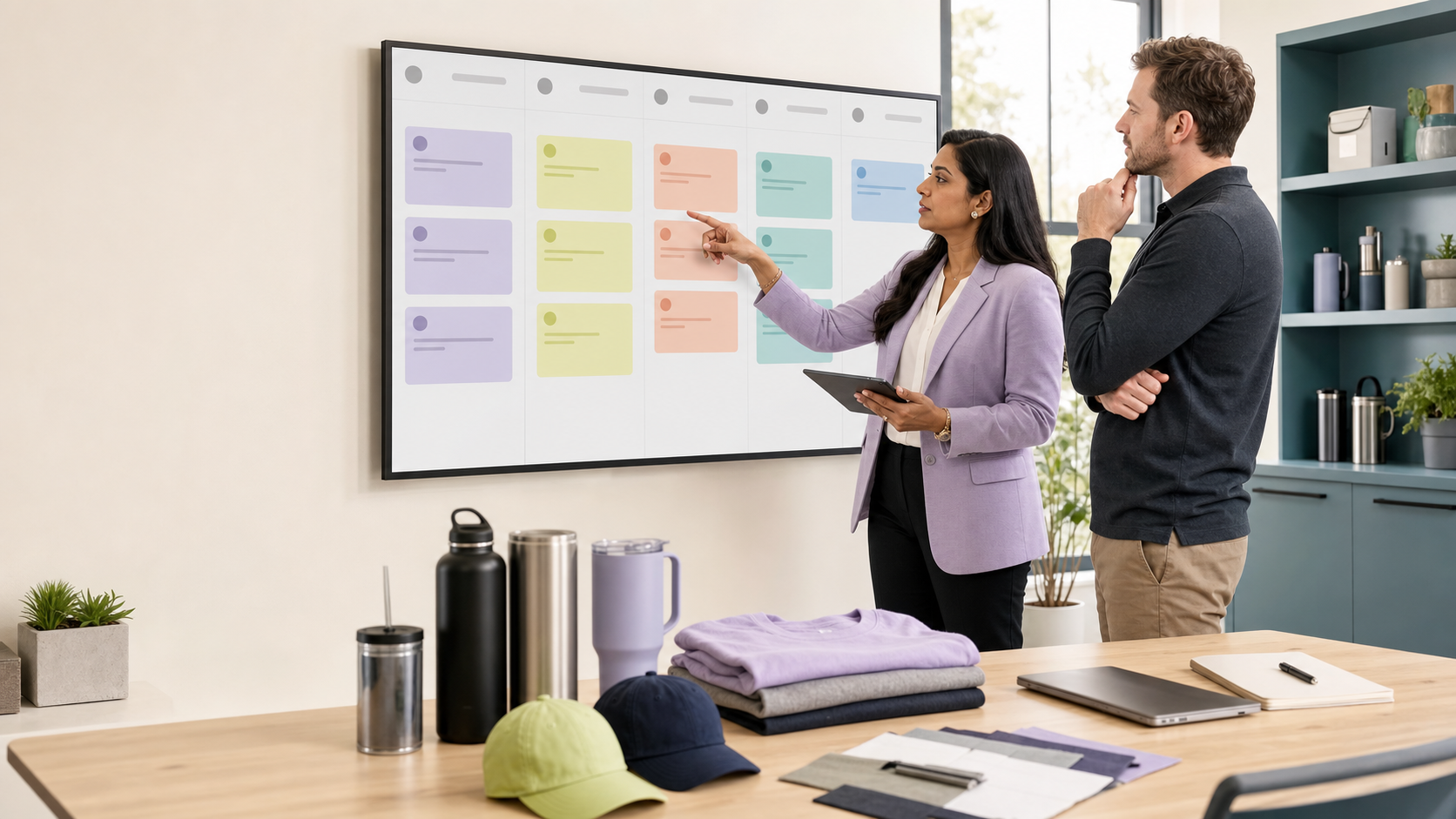
Track every artwork project from creation to production. Business owners always know where work is moving and where it is blocked.
ArtworkApprovalRevisionProduction
Replace status chasing
A project should surface its blocker before the deadline slips.
Inbox updates+Approval follow-ups+Production checksOne live workflow view
Live operational view
One view shows what is moving, waiting, and ready.
Filter the workflow by stage and focus the team on the projects that need a decision now.
Artwork workflow12 active projects
Northline eventBottle campaignArtwork due today
Spring launchCanvas toteSource file missing
Retail openingStaff hoodieClient link opened
Conference kitTravel mugWaiting 1 day
Member campaignEmbroidered capLogo size change
Summer teamPerformance teeVersion 3 requested
Annual meetingWelcome bundlePDF generated
Client giftingDesk setApproved today
From visibility to action
Catch the block before it becomes a delay.
Instantly identify pending artwork, approval requests, revisions, approved work, and production-ready projects.
Customer outcomeIncrease operational visibility without increasing administrative overhead.

Complete operational visibility.
See every active project and its current stage.
Faster decision-making.
Act on the project that needs attention now.
Better workload management.
Balance work across artwork, approvals, and production.
Reduced project delays.
Catch blocked work before deadlines slip.
See the whole workflow
Know what is moving before anyone has to ask.
Production-ready artwork files, generated after approval
Approval becomes a confident handoff.
After customer approval, PromoPlus automatically generates production-ready PDF files with the approved artwork and placement details.
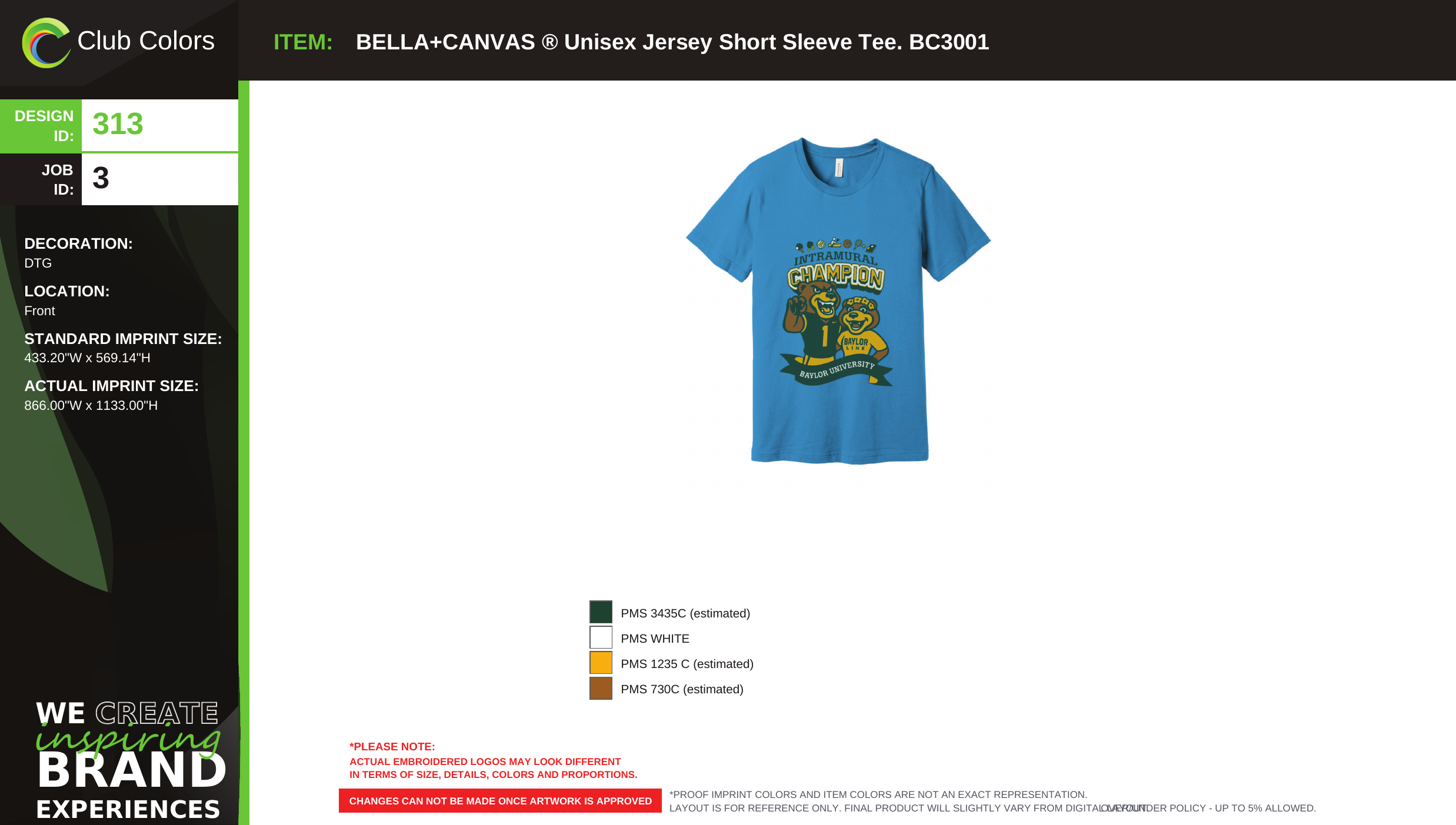
The original production file
Approved product proof and artwork inspection, together.
PromoPlus keeps both original pages intact so production receives the complete approved record without cropped details.

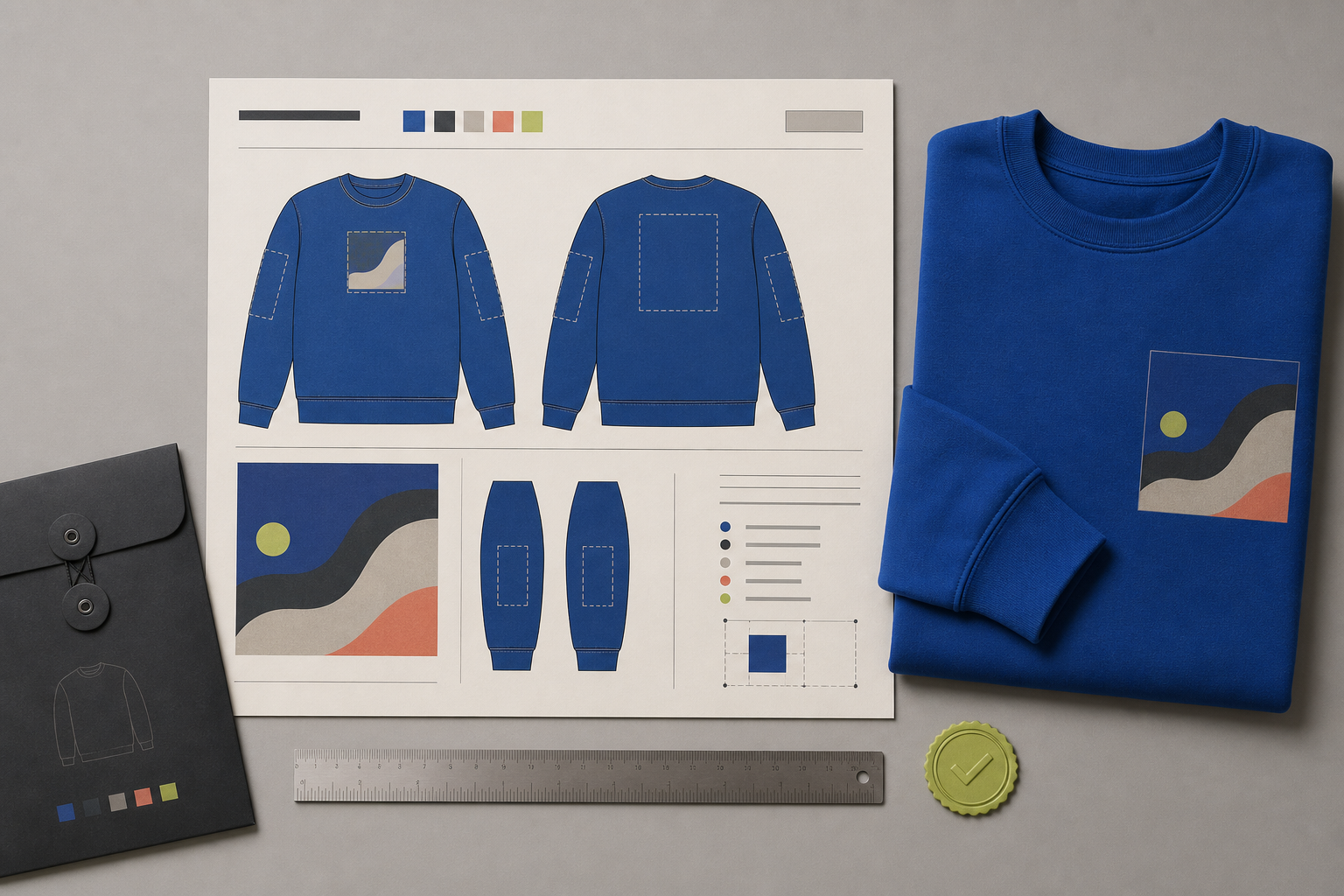
From approval to output
A clean package for the people who make it real.
The final proof keeps the approved artwork, product sides, placement guidance, and decision record together.
- 01 Approved artwork only
- 02 Placement details included
- 03 Ready for decorators and production teams
How the handoff works
The client locks the final version.
01PromoPlus assembles the production PDF.
02Your team sends one trusted file forward.
03Ready to produce?
Send one approved file forward with confidence.
Frequently asked questions
Questions about Product Catalog Integration
Answers about product catalog integration and how it fits into the PromoPlus workflow.
01Do I need to download product images?
No. Product images and details come from the catalog, so you only upload your customer's artwork.
02How can I search supplier products?
Search integrated supplier catalogs by vendor name, SKU or product keyword.
03Can I add a product that isn't in a catalog?
Yes. You can add a product manually to a PromoPlus project when it is not in a supplier catalog.
04Does the selected product carry into the rest of the workflow?
Yes. It moves straight into the Online Mockup Designer and stays attached to the project through approval and production.
Frequently asked questions
Questions about Online Mockup Designer
Answers about online mockup designer and how it fits into the PromoPlus workflow.
01Do I need Adobe Illustrator to make a mockup?
No. You upload the logo, position and resize it on the product, and generate the proof in your browser.
02What artwork files can I upload?
PromoPlus currently accepts SVG artwork files for the mockup designer.
03Can I preview every side of a product?
Yes. You can place and preview artwork on each available side, such as front, back and sleeve.
04Can I send the mockup straight to the customer?
Yes. The finished proof moves into the Customer Approval Portal for review and sign-off.
Frequently asked questions
Questions about Artwork Version Control
Answers about artwork version control and how it fits into the PromoPlus workflow.
01Are artwork revisions saved automatically?
Yes. Every change is saved and stays attached to the same product and project.
02Can I compare versions or restore an earlier one?
Yes. You can compare revisions side by side and restore previous artwork.
03How do I know which version the customer approved?
The approved version is clearly marked and recorded in the project history, so there is no guessing between files like design_final_2.pdf.
04Is the approved version locked?
Yes. The approved version is locked against further edits.
05Does version history carry through to production?
Yes. The approved version is the one used to generate the production file.
Frequently asked questions
Questions about Customer Approval Portal
Answers about customer approval portal and how it fits into the PromoPlus workflow.
01How does a customer approve a mockup?
You share a secure link. The customer reviews the mockup, leaves comments or requests a revision, and approves the design.
02Does the customer need an account?
No. Anyone with the shared link and access code can view and approve the mockup without a PromoPlus account.
03Are comments tied to the exact mockup?
Yes. Feedback pins and decisions stay attached to the specific version being reviewed, not a separate email thread.
04Is every approval recorded?
Yes. The decision is stored with the version, date and time.
05Does PromoPlus send email notifications for review activity?
Yes. PromoPlus sends email notifications when a customer comments, requests a revision, or approves a mockup.
06What happens after approval?
PromoPlus can generate the production-ready PDF from the approved version.
Frequently asked questions
Questions about Centralized Project Workspace
Answers about centralized project workspace and how it fits into the PromoPlus workflow.
01What is stored in a project?
Products, artwork, customer information, approvals, notes, production files and the full project history.
02Can I see what happened on a project and when?
Yes. The project history lists each step in order, such as product added, artwork uploaded, version reviewed, customer approved and production file generated.
03Does the product from the catalog stay attached to the project?
Yes. Supplier details, imagery, sides and color choices stay with the project for everyone working on it.
04Can I stop searching emails and shared folders for project files?
That is the purpose. Files, comments and decisions live in one record instead of across inboxes.
05Is customer information stored in the project?
Yes. The project stores the customer's name and email address.
Frequently asked questions
Questions about Team Collaboration
Answers about team collaboration and how it fits into the PromoPlus workflow.
01Which roles can work in the same project?
Sales representatives, brand advisors, designers, operations teams and business owners.
02Do all roles see the same information?
Everyone works from the same project record, and each role can focus on the part its next decision depends on.
03Can remote production partners work in the project?
Yes. You can add an outside production partner as an advisor to coordinate in the project.
04How does this reduce rework?
Comments and decisions sit beside the work they refer to, so teams stop rebuilding context across email and separate tools.
Frequently asked questions
Questions about Workflow Progress Dashboard
Answers about workflow progress dashboard and how it fits into the PromoPlus workflow.
01What stages can I see on the dashboard?
Pending artwork, awaiting approval, revision requests and production ready, with a count for each.
02Can I filter projects by stage?
Yes. You can filter the workflow by stage and focus on the projects that need a decision now.
03How do I spot blocked work?
Projects show their current status and reason, such as source file missing or client link opened, so a blocker is visible before it becomes a delay.
04Who can see the dashboard?
Owners and team members can access the dashboard, but their views differ.
Frequently asked questions
Questions about Production-Ready File Generation
Answers about production-ready file generation and how it fits into the PromoPlus workflow.
01When is the production file generated?
Automatically, once the customer approves the final version.
02What is in the production PDF?
Two pages: the approved product proof and an artwork inspection page, with placement details and the decision record.
03Who is the file for?
Decorators and production teams, so they receive the approved artwork and placement guidance in one file.
04Does it include only the approved artwork?
Yes. Only the approved version is included, so earlier revisions never reach production.
05What artwork specs does it include, such as vector files, colors or decoration method?
Page one lists the item, decoration, imprint size and colors, and page two is a vector artwork inspection sheet.